

Check Out What's New
with PowerSchool PowerBuddyTM
PowerBuddy is PowerSchool's AI assistant designed to support students, educators, families, and administrators. From personalized learning experiences to streamlined data analysis and enhanced family engagement, PowerBuddy offers intelligent, role-specific support across your district. Explore the latest updates and see how PowerBuddy can transform the educational experience.
Explore the Latest Innovations
PowerBuddy for Learning Student Math Editor: Easily create and edit mathematical expressions
Our new math editor supports symbols, equations, and formulas so students can work through complex math concepts with PowerBuddy.

PowerBuddy Full Screen View: More space for PowerBuddy conversations
New full screen styling updates improve usability while also addressing accessibility needs.
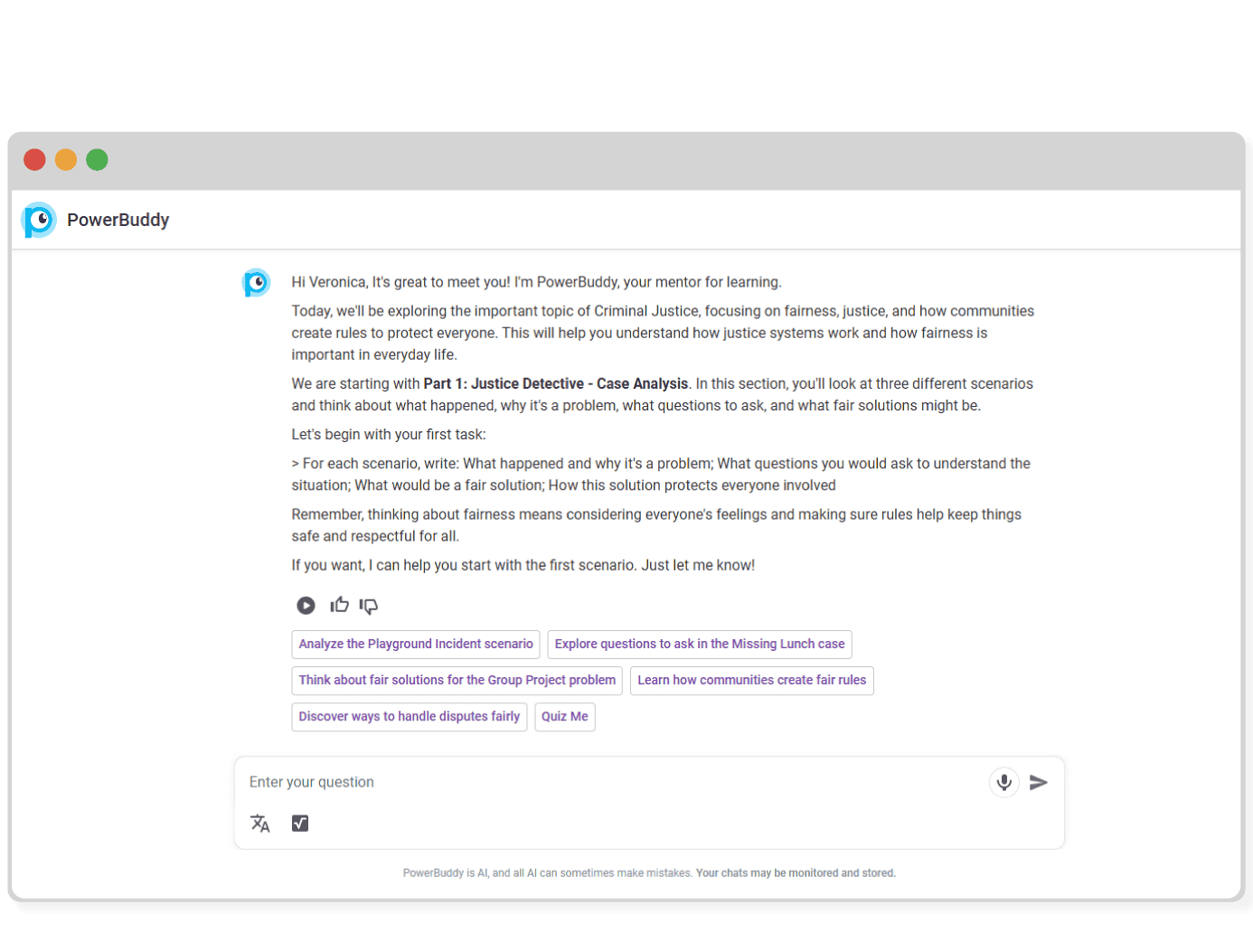
PowerBuddy for Special Programs: AI support for Inclusive Learning Plans
PowerBuddy for Special Programs helps draft smart, clear student plans fast so staff can focus on building relationships and ensuring every student gets the support they need.
- IEP Goal & Objective Generator
- 504 Plan Drafting
- Smart Suggestion Engine for Accommodations
- Progress Monitoring Templates
- Generative tools for drafting BIPS and FBAs
- Speech Goal Generator

New Item Types: Assess Learning with Multi-Select, Text Entry, and More
PowerBuddy for Assessment will support more flexible AI-generated item types, including multi-select, multiple choice, text entry, and inline choice.
- Enables richer formative and diagnostic assessments
- Expands how students demonstrate understanding
- Broadens content coverage and instructional reach
- Designed to align with various assessment strategies

AI Rubric Scoring: Evaluate Student Work with Personalized Feedback
Use generative AI to assess student responses against rubrics and deliver targeted feedback.
- Optimizes teacher efficiency with AI-assisted grading

PowerBuddy Personalization: Fuel More Engaging, Personalized Assistance
Students can now share interests in their Schoology profiles, which are integrated into the student chat assistant to make support more relevant.
- Personalizes chat support based on student interests
- Helps educators design more engaging assignments

Feedback Collection: User Input That Improves PowerBuddy over Time
End users can now submit feedback directly within PowerBuddy, including open-text comments to help refine outputs.
- Captures direct input from students and staff
- Supports continuous improvement through user feedback

Data-Driven Coaching Insights: Measure Impact and Mentor Time
Track coaching program performance with detailed charts. See time spent by location, content area, mentee type, and mentor, and assess the impact on retention.
- Visualizes coaching hours and distribution
- Supports program improvement with deeper insight
- Helps evaluate educator growth and retention

Personalized Growth and Feedback: Actionable Next Steps for Educators
PowerBuddy surfaces next-step action items after coaching sessions, helping mentors and mentees stay aligned with personalized learning goals.
- Highlights personalized growth opportunities
- Reduces admin burden and form entry
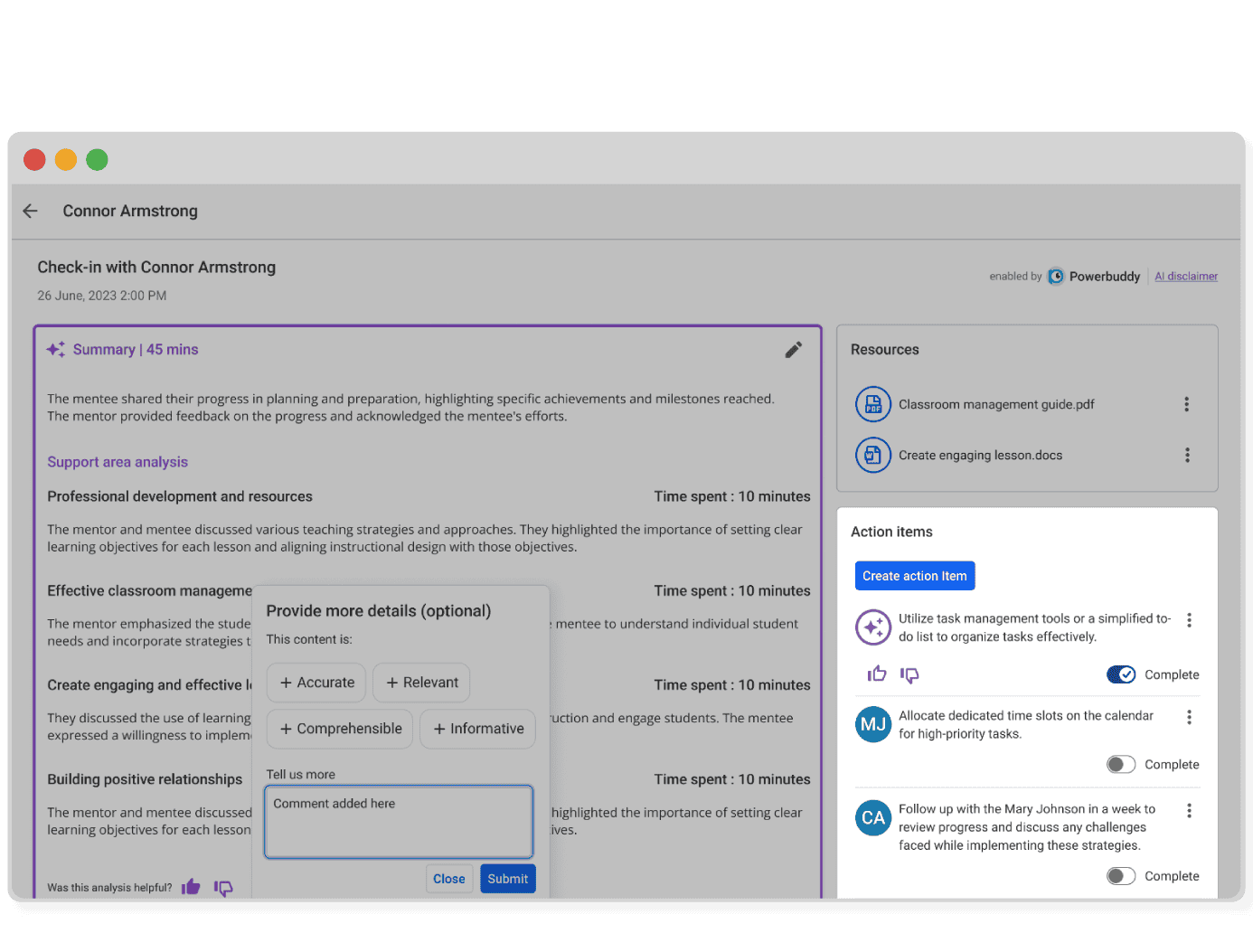
AI-Powered Coaching Analysis: Break Down Conversations and Drive Growth
Coaches and mentors can stream check-ins transcribed and analyzed by domain for insights on which areas to focus on and what to do next.
- Auto-transcribes and tags conversations by coaching domain
- Suggests next steps based on time spent in each area
- Reduces admin work and eliminates manual entry

Family-Facing AI Assistant: Instant Answers for Families, Less Burden for Staff
PowerBuddy for Engagement, integrated into MyPowerHub, helps families get accurate, real-time answers to common questions, drawing from your SIS, district website, and district handbooks.
- Pulls info from SIS and district resources
- Handles routine questions like attendance and dress code
- Frees up school staff while improving parent experience

Staff Chat Log Summarization: Insights to Support Student Growth
Quickly identify key themes, behaviors, and learning needs from a student’s chats on Schoology assignments to support student progress more effectively.
- Highlights student strengths, interests, and behavior trends
- Pinpoints gaps and growth opportunities at a glance

PowerBuddy Tools: Fast, Accessible AI Widgets for Smarter Content and Planning
A growing suite of widget-style AI tools that make it faster and easier to create educational content.
- Generates content quickly in the formats you need
- Saves educators time with ready-made planning support
- Suggests the right tool based on where you launch

Pivot Table View: Analyze Data Summaries Without Leaving the Dashboard
The Preview Results area now supports pivoted and unpivoted views, giving users a fast, flexible way to evaluate summaries and trends.
- Summarizes data without needing Excel
- Provides flat and pivoted views side-by-side
- Supports clearer insights for reporting

WCAG 2.2 Compliant Chat Assistant: Accessible Support for All Users
The student chat assistant now meets WCAG 2.2 standards, ensuring PowerBuddy is accessible to all students and educators.
- Meets updated accessibility standards for digital tools

Math Enhancements: Step-by-Step Support for Math Computation
The student chat assistant now walks through math computation logic step by step, helping students understand how to solve problems, not just get answers.
- Breaks down complex math logic for students
- Builds deeper conceptual understanding

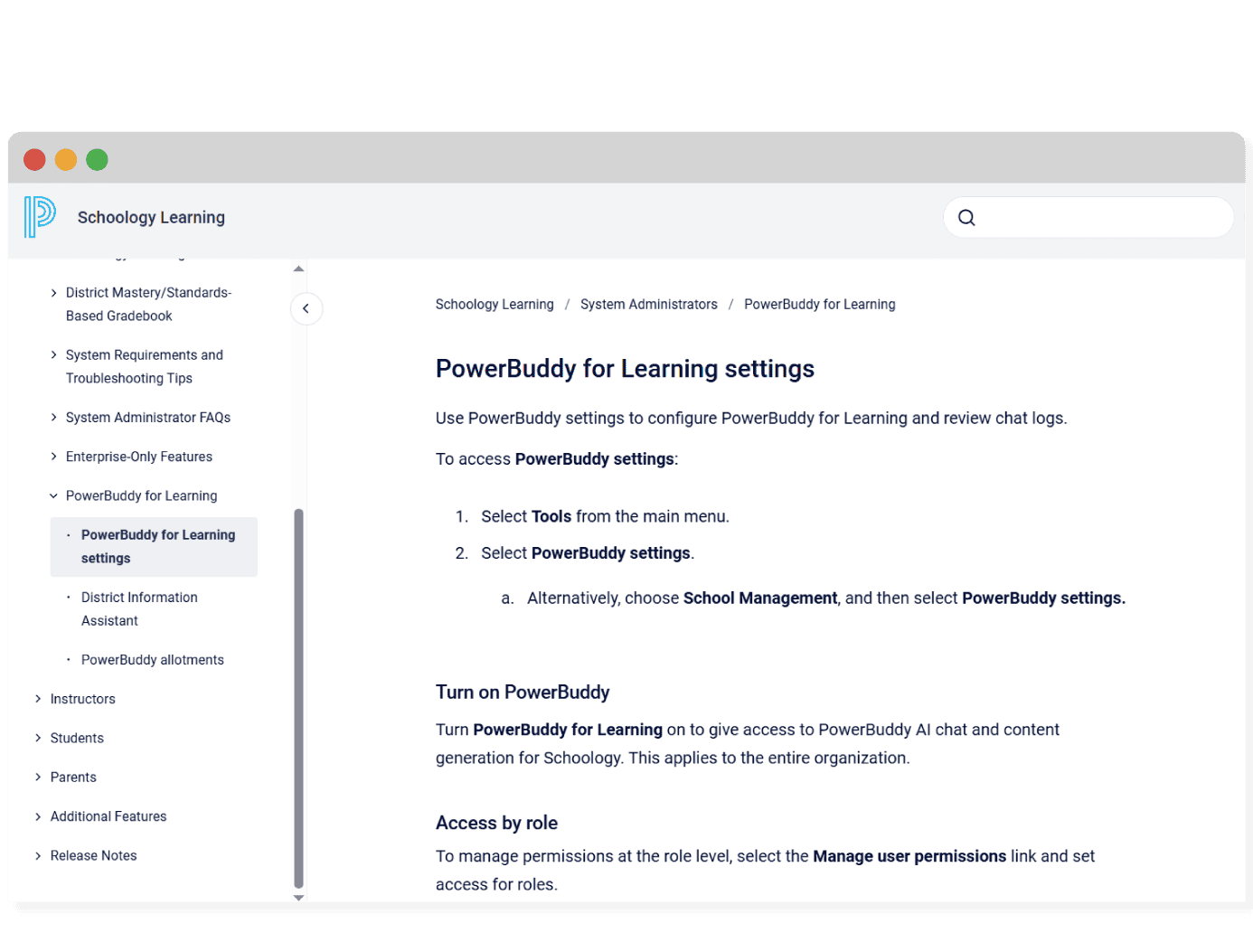
Administrator Settings: Control PowerBuddy Access by User Type
PowerBuddy administrator settings let districts manage who can access features across grade levels, students, staff, and assignments.
- Controls PowerBuddy access by user, grade, or role

Building-Level Feature Control: Customize Access by School Type
Admins can now manage PowerBuddy features by school level, giving districts control to tailor access for elementary, middle, or high school buildings.
- Enables school-specific PowerBuddy feature access

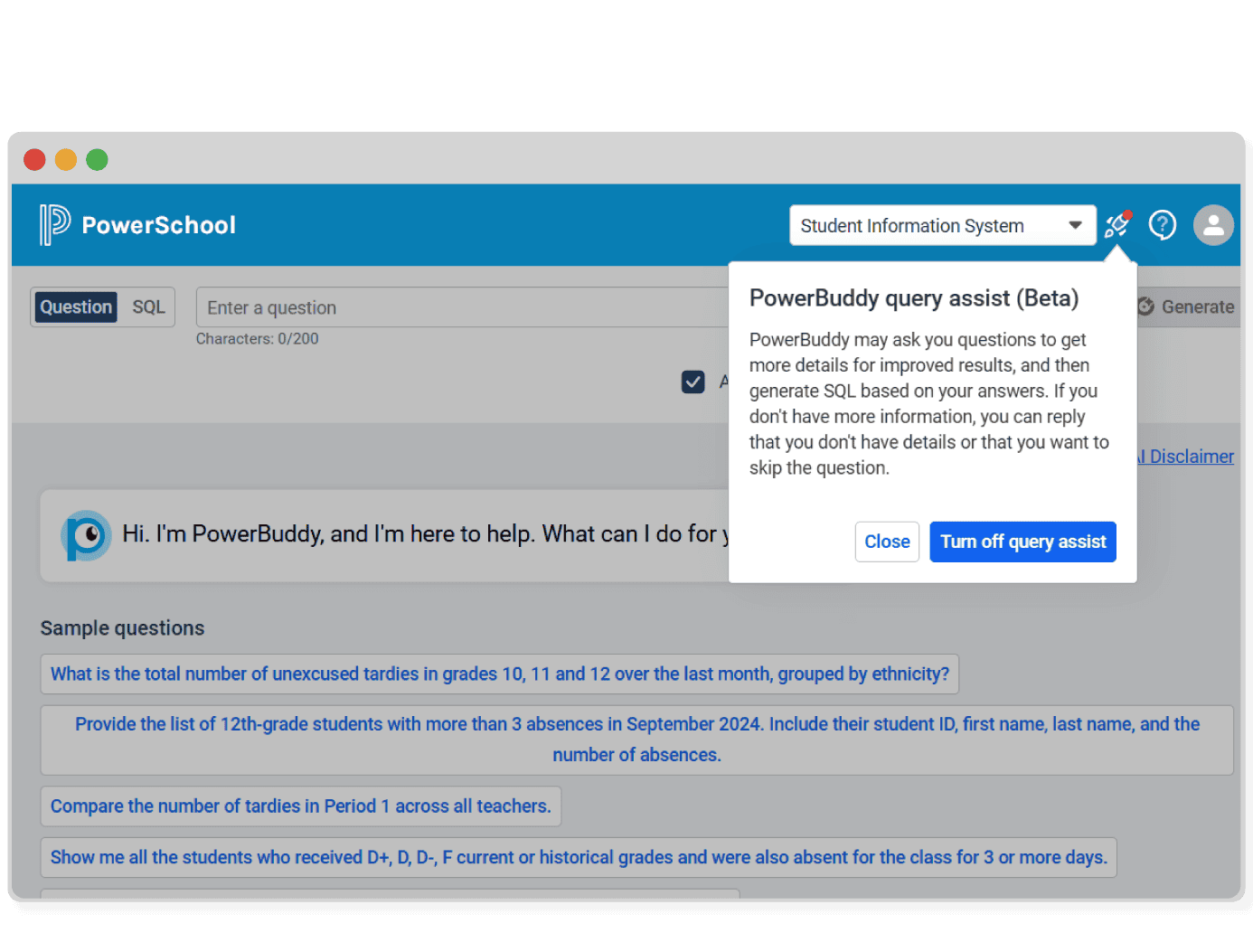
PowerBuddy Query Assist (Beta): Improve SQL Results with Clarifying Prompts
Query Assist prompts users with clarifying questions to improve vague or unclear SQL queries, making results more accurate and the experience more intuitive.
- Helps refine vague or unclear questions
- Improves result accuracy with guided follow-ups
Similarity Search: Access Related Queries to Save Time
Similarity Search helps users quickly access answers to previously asked questions by surfacing related queries, offering the option to generate a new query when needed.
- Surfaces similar saved queries for faster results
- Reduces repeated effort by reusing past questions

User Feedback: Thumbs-Up Ratings Improve Query Accuracy
PowerBuddy now lets users provide thumbs-up/down feedback on query results, charts, and insights to support continuous product improvement.
- Lets users rate the helpfulness of results
- Flags inaccurate or unhelpful insights quickly

Add Query Tags: Organize and Find Saved Reports Faster
Add custom tags to your saved PowerBuddy queries for easier sorting, searching, and collaboration.
- Enables keyword-based search and organization
- Simplifies filtering across saved queries

Student Chat Log Review: Increase Transparency Across AI Interactions
PowerBuddy enables parents and guardians to review student chat logs, students to revisit past conversations, and staff to receive alerts for flagged content.
- Allows guardians to review AI chat transcripts
- Helps students reference prior feedback and tips
- Alerts staff to potentially concerning content

District Information Assistant: AI-Powered Search Across Local Documents
PowerBuddy’s District Information Assistant helps users find answers quickly by searching district-managed content like handbooks, calendars, and guides.
- Uses natural language search across district documents
- Reduces the need to contact staff for basic info

Socratic and Research Modes: Choose How Students Interact with AI
PowerBuddy chat now includes Research and Socratic modes—teachers can select direct answers or inquiry-based prompts based on the assignment.
- Research mode gives clear answers
- Socratic mode encourages deeper thinking
- Teachers control the mode based on assignment needs

PowerBuddy for College and Career: Your AI Chat Assistant for Future Planning
The AI-powered assistant in Naviance CCLR helps students explore careers, plan for college, and stay informed, all through a personalized chat experience.
- Delivers trusted data on colleges, careers, and majors
- Personalizes insights based on student interests
- Supports application planning and college matching
- Optimizes counselor time with self-serve guidance

Student Tutor: Chat-Based Support for Assignments in Schoology
PowerBuddy’s Student Tutor offers conversational, on-demand help with assignments, allowing students to get support on their own terms.
- Offers just-in-time support for Schoology and LTI assignments
- Promotes equity by personalizing the learning experience
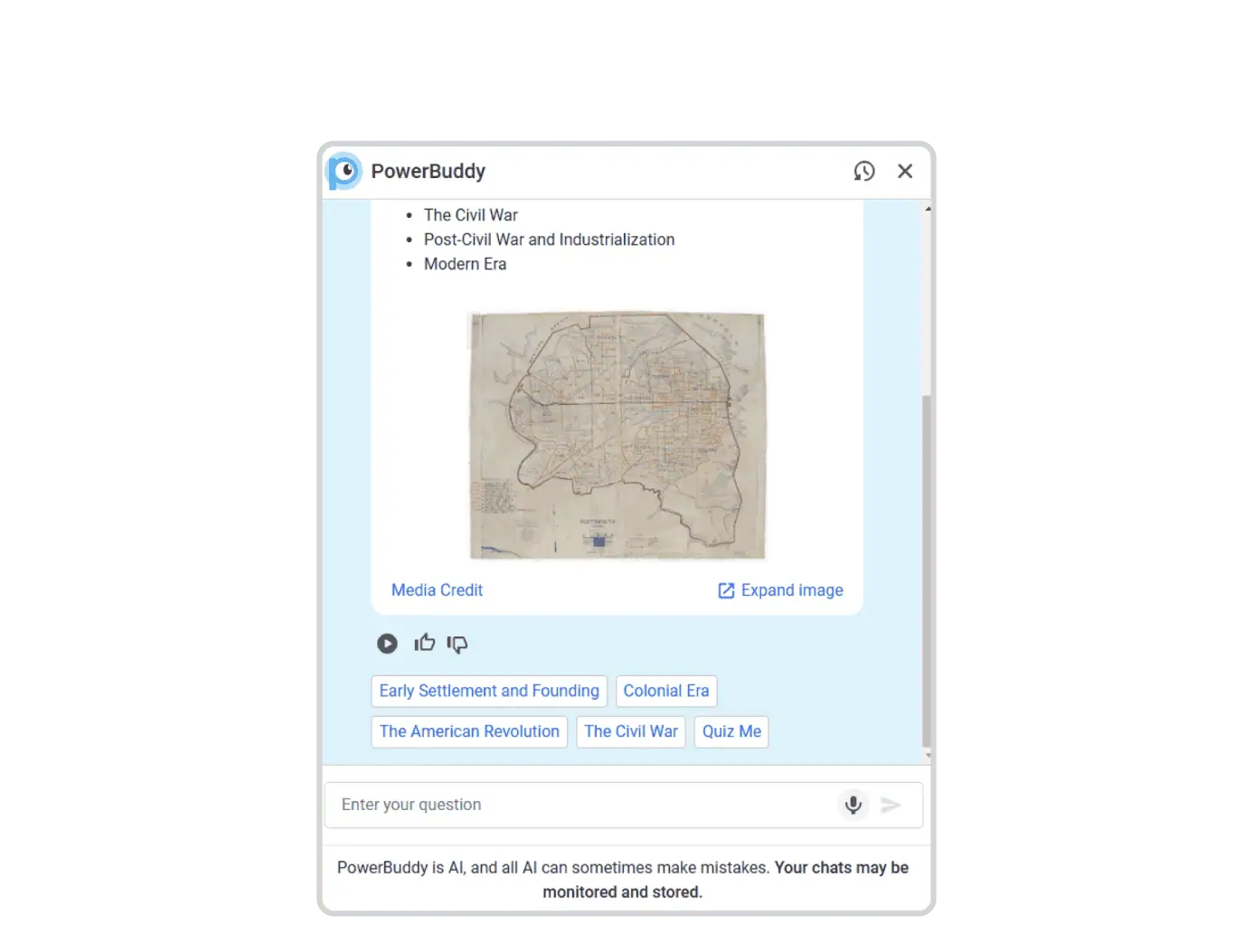
Question Vault: Explore Sample and Saved Queries in One Place
The Question Vault provides a central hub for exploring sample, recommended, and saved queries, making it easy to get started with data analysis.
- Centralizes sample, recommended, and saved queries
- Surfaces frequently used, ready-to-run questions

In-Product Help: Learn PowerBuddy Without Leaving the Platform
Contextual, in-app tips and step-by-step guidance make learning and using PowerBuddy for Data Analysis easier when and where you need it.
- Improves onboarding for new users
- Provides real-time support within the platform
- Builds confidence by guiding feature use
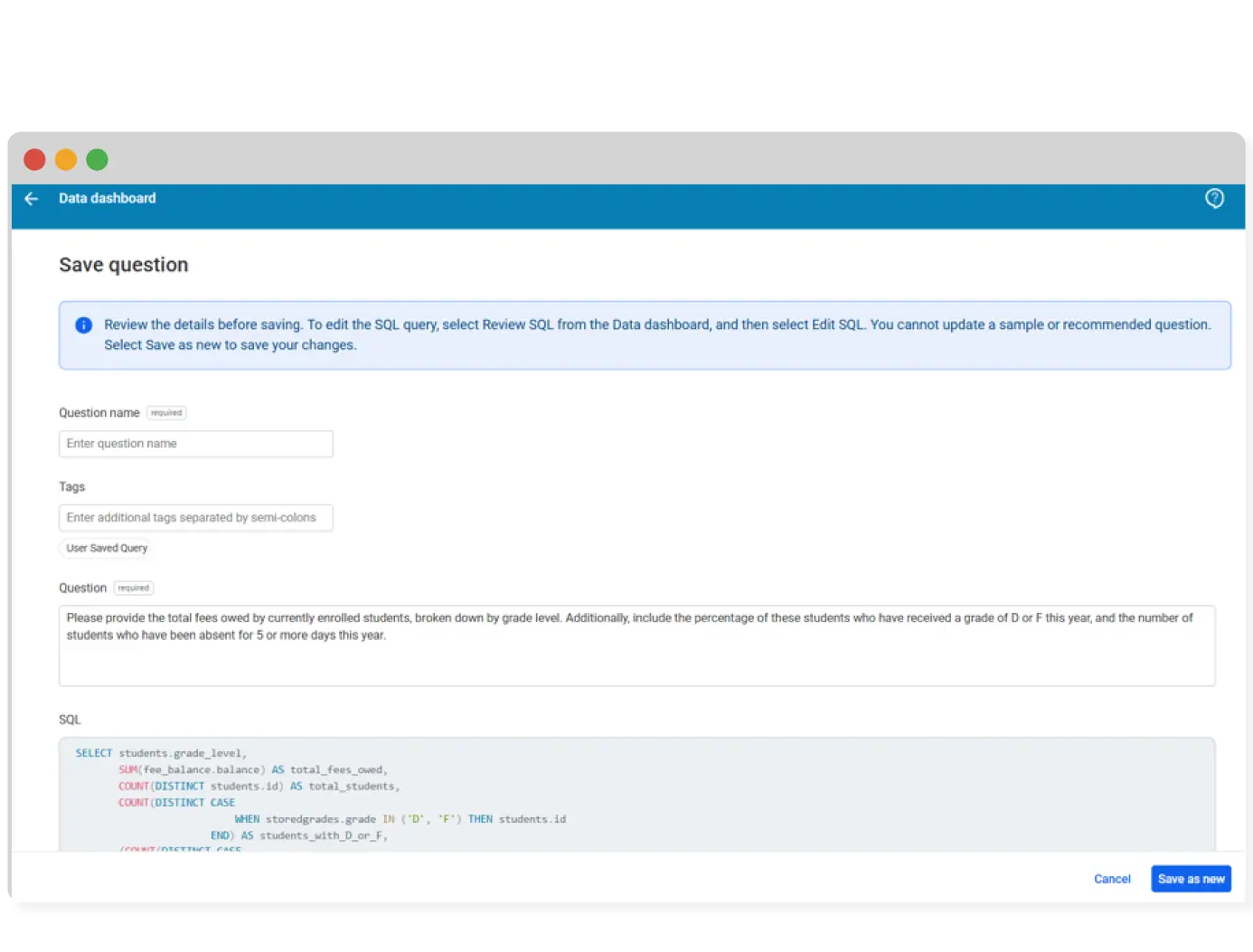
Save SQL Queries: Run Reusable Data Searches in Seconds
PowerBuddy for Data Analysis now lets users save frequently used queries for fast, consistent reporting.
- Reuses approved queries for repeat questions
- Speeds up reporting with one-click access
- Ensures consistent and accurate results
Content Generation for Assessments: Create Passages and Items with AI
Use generative AI to create passages and items from newly generated content, pasted text, or existing Performance Matters resources.
- Saves teachers time with ready-made content
- Differentiates by reading level and student need
- Supports multi-language content generation

Generate Multiple Items in an Assessment: AI Tools for Formative Checks
Use AI to quickly generate items and add them directly to an assessment for increased efficiency and insight into student learning.
- Enables faster item creation within assessments
- Boosts user adoption of formative tools
- Supports concept checks with real-time feedback
- Extends the reach of assessment reporting

Single or Bulk Item Generation: Build Standards-Aligned Questions Fast
Leverage standards to generate single or bulk questions that quickly evaluate student understanding and build item banks for various course types, including CTE and World Languages.
- Supports standards-based question creation at scale
- Builds item banks for diverse course types
- Speeds up assessment development
- Streamlines teacher workflows


Request a Demo
Fill out the form below to connect with our sales team to discuss how PowerSchool can help with your specific school or district needs.
Thank you for contacting PowerSchool
Our experts will reach out soon to schedule your personalized demo.