A family’s first contact with your school or district is often within student enrollment. To make a positive first impression, it’s crucial for the enrollment process to be as seamless and stress free as possible to set the stage for a successful school year.
Online enrollment is a great start. If you have an online enrollment process, you’ve already taken a key step in simplifying registration for your K-12 families while also improving data accuracy and your student safety standards.
When parents are engaged in their children’s education, students earn higher grades and test scores, graduate from high school, and attend post-secondary education.
But how do you get families to actually use the online enrollment system you’ve invested in? The first step is to ask the right questions about the families in your community, like:
- How tech savvy is your community?
- Do families have easy computer and internet access, or have a smartphone?
- Do you need to work with your community to provide computer and internet access?
- Will your families be able to easily understand instructions found online?
- Who will they contact for questions?
- Will they have access to the forms in their native language?
Once you’ve answered these questions, you’re ready to implement the following five strategies to increase parent and guardian participation in your school or district’s online K-12 enrollment process:

1. Reach Out to Your Community
Populations differ across states, cities, districts, and schools. It might be easy to connect to the internet in one town, but tricky in another. By reaching out to your local community, you can give families multiple opportunities to learn about or access your online enrollment process.
Start by getting the word out. Write an article for your town’s online newsletter or newspaper. Send out an email blast or send out physical mail. Post to your social media accounts and tag local businesses or facilities to ask for their help. Do whatever you can to spread awareness about your online enrollment process and involve community members.
As an example, if a substantial portion of your residents don’t have stable internet access at home, it’s time to get creative. Some ideas include asking the community for help, including:
- Radio talk shows
- TV and newspaper ads
- Social media campaigns
- Flyers posted at community resource centers
- Communication with PTA presidents and active parents
You can invite community members in during the summer and set up computer labs for training them on how they could help parents enroll in PowerSchool. For a limited-time event, you may find that many organizations, including service organizations, clubs, and libraries, will open up their facilities and allowed parents to use their computers.
Product Perk
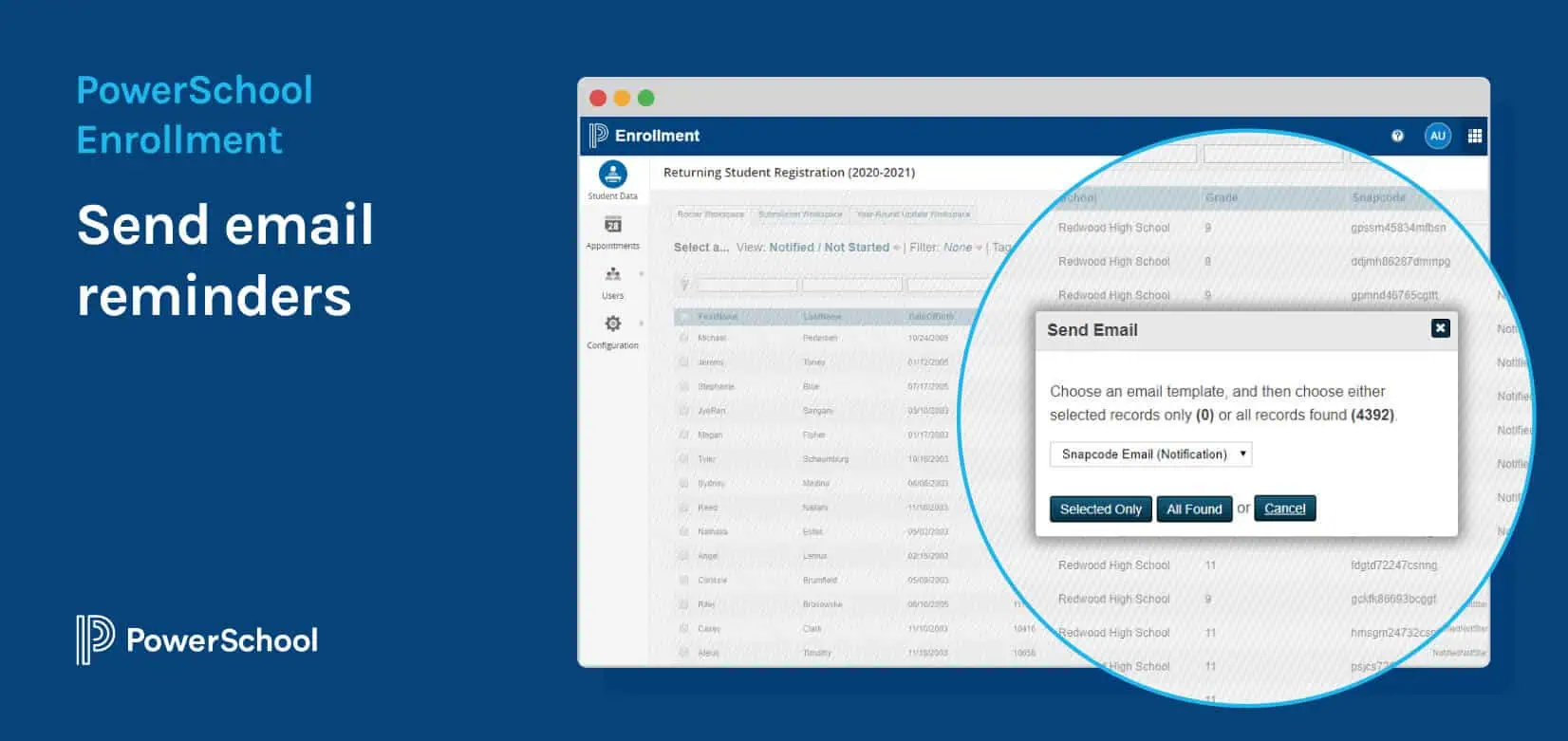
PowerSchool Enrollment makes it easy to send email reminders to returning parents. With PowerSchool Enrollment Express, built within PowerSchool SIS, you can resend a welcome email that includes the user access ID and password.

2. Host Enrollment Events
If your families aren’t very tech savvy, filling out their student’s enrollment information all online could be an intimidating experience. Setting up events where you can teach them the basics of how to use the online enrollment system, and walk them through the process step by step, will help them get more comfortable with the technology.
Have parents sign up for one-on-one training sessions, or use existing events—like back-to-school night or parent-teacher conferences—to answer any tech questions your parents may have while enrolling their students. For the youngest students, Reed-Custer Community School District #255 uses its kindergarten roundup to meet parents and students while also answering questions about enrolling online.
Also consider the location of these training sessions. Make sure you can accommodate the number of families you’re expecting and ensure that trained administrators are there to support. And with 20% of U.S. residents speaking a language other than English at home, you may need to ensure you have some translators on site or translation software handy.
Product Perk
Digitize existing translated enrollment forms into 14+ languages with both PowerSchool Enrollment and Enrollment Express.

3. Set Up Computer Stations
Another effective strategy is to place computer kiosks in areas where your families can easily access them—like school buildings, libraries, or other community centers. These stations can be a great resource for families without a computer or smartphone at home.
“We have some parents without computer access or who aren’t computer literate,” says one Mississippi data administrator. “We turned it into a community involvement project where other parents provide support to those who need it by setting up computer labs at school sites to guide them through the entry. Now, 90 percent of parents in our district complete registration online.”
Product Perk
PowerSchool Enrollment integrates with PowerSchool SIS, and PowerSchool Enrollment Express is built right within the SIS, so parents only enter student information once.

4. Create an Incentive Program
Help families understand why incomplete enrollment forms are a serious safety concern. Explain how real-time access to accurate student data can empower your school or district to make the right call should an emergency or medical issue arise.
Wyoming’s Teton County School District 1 has improved their student safety by collecting essential health plan information in the online enrollment process. They collect plans for students with asthma, allergies, diabetes, and more, ensuring critical data is available in case of emergencies. Parents can securely upload documents and forms, including immunization records.
“Our nurses love that they get the information so quickly and that they can go into (PowerSchool) Enrollment themselves and pull those forms. Before, school would start, and we wouldn’t have all of the information we needed. We’d send home packets with families, and parents would have to fill out forms and return them. Nurses would have to make calls and follow up. Now they get that information right away, and they’re thrilled,” says Kim Byrne, PowerSchool Administrator, Teton County School District 1.
Some schools don’t distribute student laptops, parking passes, or class schedules until all enrollment forms are completed.
But more positive approaches can be just as effective, so don’t be afraid to have fun with your enrollment season. Challenge your staff to develop ideas to increase family participation. Consider handing out prizes to parents who complete enrollment first, or make it a competition between schools of who can have the most students enrolled before school starts.
Product Perk
Tie students’ extracurriculars to the online process in PowerSchool Enrollment and Enrollment Express so parents are encouraged to complete it early and students can participate in the activities they love.


5. Track Enrollment Progress
Monitor your families’ progress in the enrollment process with an administrative dashboard, so you can easily track and publicize submission rates by school. Use the report to view if communication was sent to families and if the registration process was started. And remember to track when a family last logged in, so you can see when you need to reach out or help them complete the process.
At any point during the enrollment process, Teton County School District administrators can see how many students have been registered. Not only does tracking enrollment progress ensure districts help families submit forms on time, but it also helps districts plan for the upcoming school year.
“Our administrators can make better decisions to meet student needs, staffing needs, and forecasting for budgeting,” says Byrne. “Also, when planning for professional development for different grade levels, we can see the anticipated enrollment of our kindergarteners. We can plan for things like bus routes, health files, screenings, and things we need to do for students.”
Product Perk
Roster progress reports in PowerSchool Enrollment let you monitor parents’ progress—whether started, completed, or somewhere in between.
With these five strategies in place, and PowerSchool Enrollment or Enrollment Express in your edtech ecosystem, you’re on your way to increased parent participation and a smoother school year. And since strong family engagement can drive student achievement, the sooner you can get them in your corner the better.

5 Ways Schools & Districts Win with Online Enrollment
Download the eBook to learn how switching to a modern, online K-12 enrollment system can increase cost savings, efficiency, reporting compliance, and more.
Get Your Copy